Gitlab : Installation et Configuration
Version des outils
| Os / Tool | Version |
|---|---|
| Gitlab | 11.10.4 |
| Docker | 18.09.5 |
Todo
N/A
Note en vrac
Leur idée réduire le temps passé à manager les outils et leurs interconnexions en ce concentrant sur la valeur clef : Le code source et les feature business.
A propos de leur site web :
Certaine fonctionnalités sont mise en avant via une page dédié comme :
Source Code Management
D'autres sont des rappels à la documentation :
Wiki
Les "missing feature" peuvent apparaître comme des épics dans gitlab :
Design Management
Tests :
- Runners
- Auto DevOps
Avant propos
GitLab is a single application that provides everything you need to Manage, Plan, Create, Verify, Package, Release, Configure, Monitor, and Secure your applications.
About Gitlab
The entire DevOps lifecycle in one application.
Manage -> Plan -> Create -> Verify -> Package -> Release -> Configure -> Monitor -> Secure
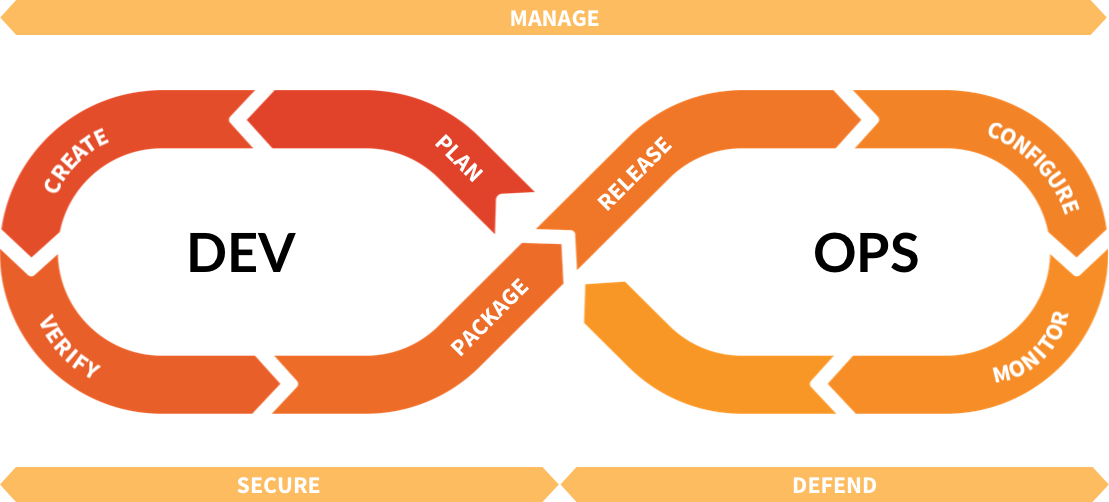
DevOps lifecycle
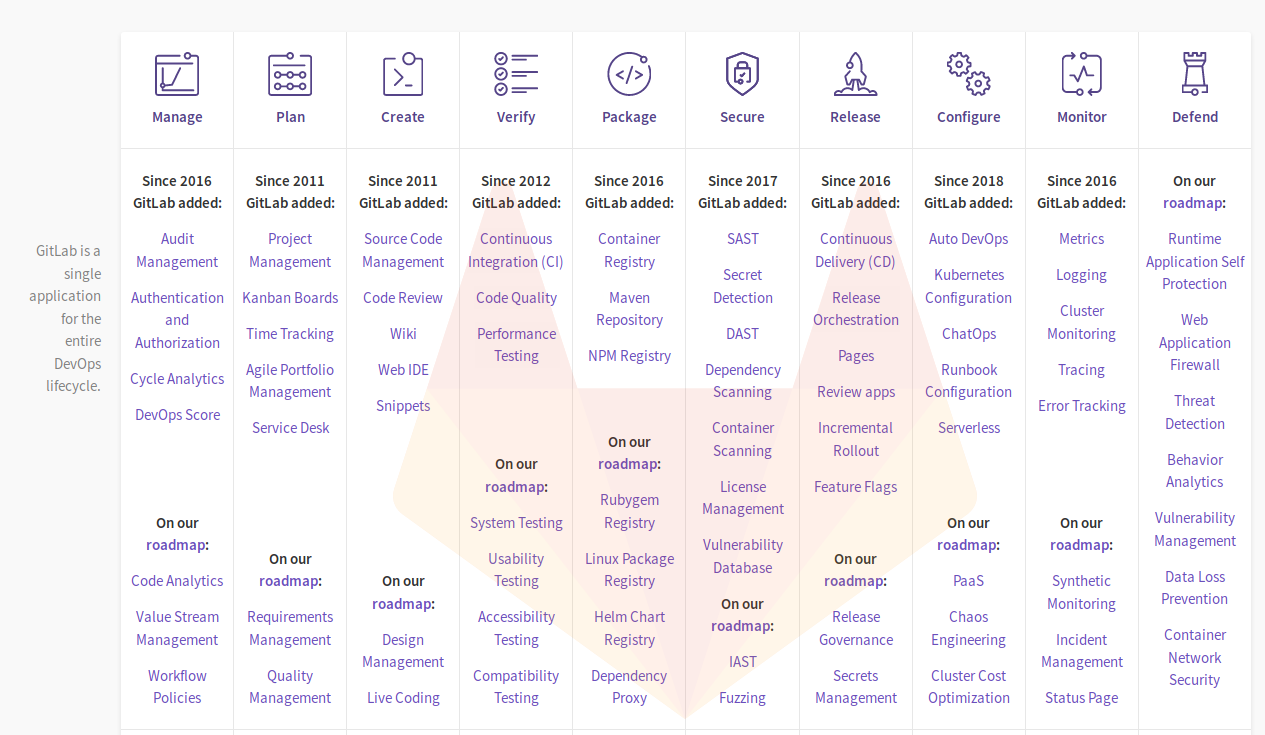
Manage : Gain visibility and insight into how your business is performing.
Authentication and Authorization
- Protected tags
- Enforced Two-factor Authentication (2FA)
Workflow Policies
- Custom header and footer system message in web and email
Plan : Regardless of your process, GitLab provides powerful planning tools to keep everyone synchronized.
Project Management
- Issues
- Description Templates
- Task Lists
- Labels
- Jira Integration
Kanban Boards
- Project Issue Board
- Group Issue Board
Time Tracking
- Time Tracking
Agile Portfolio Management
- Scrum
- DevOps Pipeline
- Kanban
Create : Create, view, and manage code and project data through powerful branching tools.
Source Code Management
- Commit graph and reporting tools
- Task Lists
- Discussions
- Merge Requests
- Protected branches
- Private profile page
- Merge request reviews (Premium Ultimate)
- Git is fast
- Git LFS 2.0 support
- Project badges
- Keep personal email private
Code Review
- Assignee
- Suggest changes
Web IDE
- Web IDE
Verify : Keep strict quality standards for production code with automatic testing and reporting.
Continuous Integration (CI)
- Built-in CI/CD
- CI/CD Horizontal Autoscaling
- See JUnit test summaries in merge request widget
- Free CI/CD with shared or personal Runners
- Scheduled triggering of pipelines
- Group-level variables
Package : Create a consistent and dependable software supply chain with built-in universal package management.
Container Registry
- Built-in Container Registry
Secure : Security capabilities, integrated into your development lifecycle.
SAST, DAST, Dependency Scanning, Container Scanning, License Management
- Ultimate feature
Release : GitLab's integrated CD solution allows you to ship code with zero-touch, be it on one or one thousand servers.
Continuous Delivery (CD)
- Comprehensive pipeline graphs
- Browsable artifacts
- Deploy Tokens
Release Orchestration
- Keep track of releases using GitLab Releases
- Environments history
Pages
- Publish static sites for free with GitLab Pages
Configure : Configure your applications and infrastructure.
Kubernetes Configuration
- Easy Deployment of Helm, Ingress, and Prometheus on Kubernetes
- Easy integration of existing Kubernetes clusters
- Easy creation of Kubernetes clusters on GKE
ChatOps
- Deploy from Chat
- Create, search and view issues from chat
Serverless
- Serverless
- Serverless Monitoring
Monitor : Automatically monitor metrics so you know how any change in code impacts your production environment.
Metrics
- Application performance monitoring
- GitLab server monitoring
- Log Correlation
- Cloud Native Monitoring
Logging, Cluster Monitoring, Tracing
- Ultimate
Defend : Defend your apps and infrastructure from security intrusions.
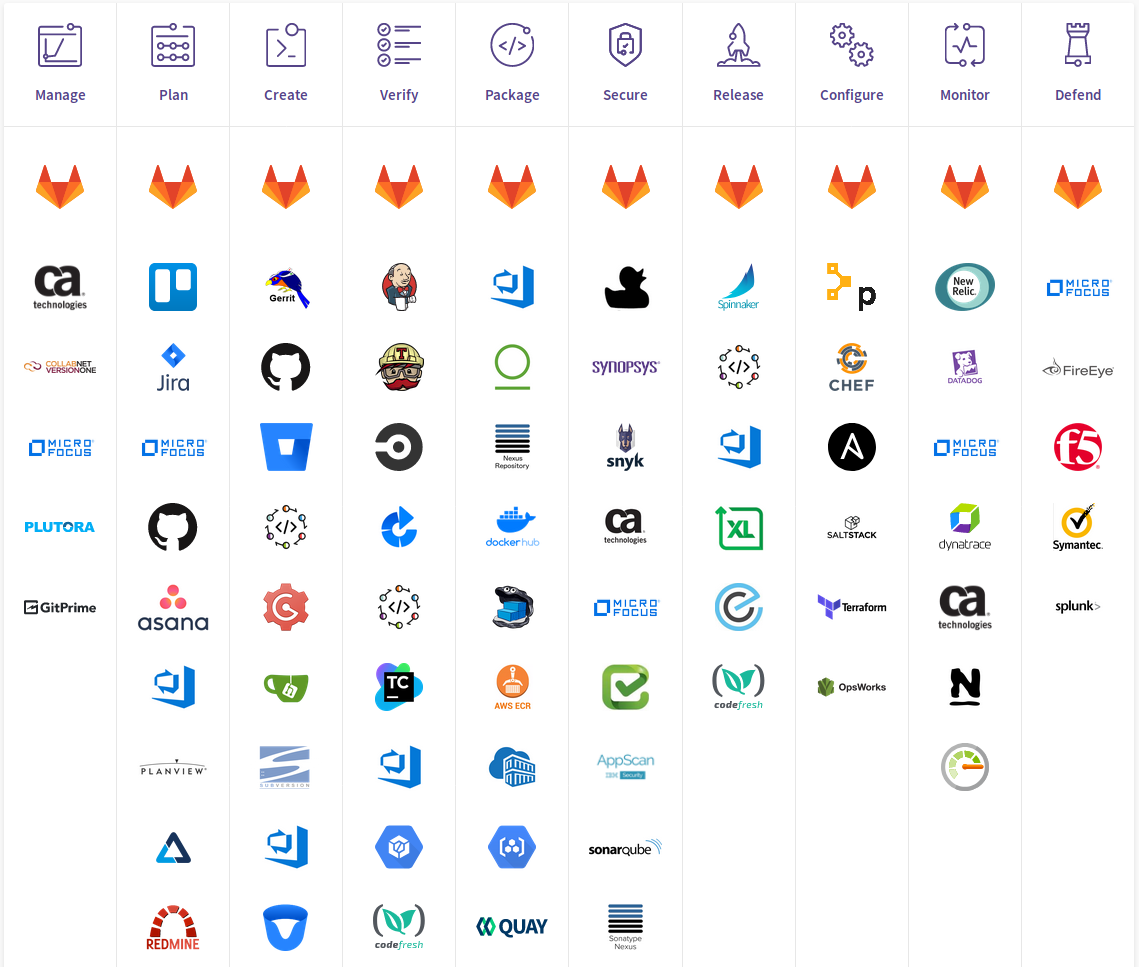
The DevOps lifecycle cross the arguments
DevOps Tools Landscape
Procédure d'installation docker
Quick start
Advanced deployment
Procédure de post-installation
Source
A beginner's guide to continuous integration
About
Agile Planning
All features
Auto DevOps
Ce Or Ee
Concurrent Devops
Continuous Integration & Delivery
DevOps Lifeycle
DevOps Tools Landscape
DevSecOps
Feature Comparison
Handbook
Resources
Source Code Management
Status Page
Value Stream Management